

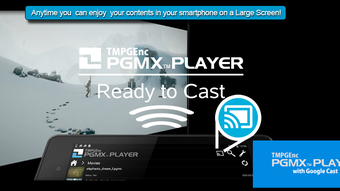
Description
Download TMPGEnc PGMX PLAYER for Android – video player, Android, free, H.64/AVC, MPEG-4, PGMX, HEVC, MP4, MOV, audio streams, subtitles, resume playback, multi-language
Overview
TMPGEnc PGMX PLAYER for Android is a dedicated video playback application developed by Pegasys Inc. Designed specifically for Android devices, it supports the Next Generation file format known as PGMX. This format enables the integration of both H.64/AVC and MPEG-4 video streams within a single file, offering enhanced flexibility for multimedia content delivery. The app is intended for users who work with or consume advanced video formats that require compatibility beyond standard players. It is particularly suited for media enthusiasts, content creators, and professionals handling high-efficiency video codecs. The software allows playback of MP4 and MOV containers, supporting both MPEG-4 AVC and HEVC video streams, making it a versatile tool for modern video files. Users can access metadata such as artist name and comments by interacting with the file list, providing a richer playback experience. The developer did not provide additional details about the company’s background or broader product ecosystem.
Key Features & Capabilities
- PGMX Format Support – Plays files encoded in the Next Generation PGMX format, combining multiple video streams in one container.
- Multi-Codec Compatibility – Supports H.64/AVC and MPEG-4 video streams, as well as HEVC for high-efficiency playback.
- Container Flexibility – Plays content stored in MP4 and MOV file formats, ensuring broad compatibility with common video files.
- Multi-Audio Stream Switching – Allows users to toggle between multiple embedded audio tracks during playback.
- Text Subtitle Customization – When subtitles are in text format (indicated by a "T" icon), users can adjust font size, color, and border settings.
- Resume Playback Function – Automatically remembers the last playback position, enabling users to continue from where they left off.
- Metadata Display – Displays stored metadata such as artist name, comments, file name, and duration when interacting with the file list.
- Multi-Language Interface – Available in multiple languages, improving accessibility for international users.
These features make the app ideal for users who frequently handle complex video files with embedded audio and subtitle tracks. The ability to switch audio streams and customize subtitles enhances the viewing experience for multilingual or accessibility-focused content. The resume playback function is particularly useful for long-form videos, such as lectures or documentaries. The metadata display function adds a layer of organization, helping users identify files quickly without opening them.
User Interface, Workflow & Performance
The user interface of TMPGEnc PGMX PLAYER for Android is designed with functionality in mind, focusing on efficient navigation and playback control. The file list page serves as the central hub, where users can browse their media library. Tapping and holding on a file reveals stored metadata, providing quick access to details like artist name and comments. Playback controls are standard, with play, pause, seek, and volume adjustments. The interface supports touch gestures for smooth navigation, and the multi-language availability ensures usability across diverse regions. The developer did not specify resource usage details, so exact performance behavior in terms of CPU or RAM consumption remains unknown. General software behavior patterns suggest stable operation under typical conditions, but specific benchmarks were not provided. The app’s performance is expected to be consistent with other lightweight video players, especially on devices with modern Android versions. Stability during long playback sessions has not been independently verified.
Compatibility & System Requirements
TMPGEnc PGMX PLAYER for Android is compatible with Android operating systems, though specific version requirements were not listed. The application has a file size of 14.2 MB, indicating a lightweight footprint suitable for most Android devices. Installation is straightforward, requiring standard permissions for accessing media files. The developer did not provide detailed hardware requirements, such as minimum RAM or processor specifications. Compatibility information was partially provided, with no mention of tablet or foldable device support. Users should ensure their device runs a supported Android version to avoid installation issues. The app does not require a constant internet connection, making it suitable for offline use. The lack of detailed system requirements means users may need to test the app on their specific device to confirm full functionality.
Pros and Cons
Pros
- Free to download and use, with no in-app purchases or ads reported.
- Supports advanced video formats including PGMX, HEVC, and MPEG-4 AVC.
- Offers multi-audio stream switching for enhanced viewing flexibility.
- Customizable text subtitles with font, color, and border options.
- Resume playback function preserves viewing progress across sessions.
- Displays metadata such as artist name and comments for better file identification.
- Multi-language interface improves accessibility for global users.
Cons
- Exact system requirements were not specified, limiting compatibility clarity.
- No information provided about performance under heavy load or long playback.
- Interface may lack advanced customization options for experienced users.
- Support for external subtitle files was not mentioned.
- Updates and future development plans were not disclosed.
FAQ Section
Is TMPGEnc PGMX PLAYER for Android compatible with my device?
The app is designed for Android devices, but specific OS version requirements were not listed. Users should ensure their device runs a recent Android version for optimal performance.
Is the app safe to download and use?
As a free app developed by Pegasys Inc., it does not contain reported malware or intrusive permissions. It is available through official channels and does not require third-party sources.
Can I update the app after installation?
Updates are available through the official app store. The developer did not specify update frequency or release cycle.
Does the app require an internet connection?
No, the app functions fully offline. It does not rely on cloud services or online verification for playback.
What types of subtitles does the app support?
The app supports text-based subtitles displayed with a "T" icon, allowing users to customize font size, color, and border. Support for external subtitle files was not specified.
Final Thoughts
TMPGEnc PGMX PLAYER for Android stands out as a specialized video player tailored for users working with advanced multimedia formats. Its support for PGMX, HEVC, and MPEG-4 AVC makes it a valuable tool for handling high-efficiency video content. The inclusion of multi-audio switching, customizable subtitles, and resume playback enhances usability for both casual and professional users. While detailed system requirements and performance data are not available, the app’s lightweight size and free availability make it accessible. It is particularly beneficial for those dealing with complex video files or requiring multilingual playback options. For Android users seeking a reliable, no-cost solution for advanced video formats, this app delivers strong functionality. Download TMPGEnc PGMX PLAYER for Android now.
Guides & Tutorials for TMPGEnc PGMX PLAYER forAndroid APK
How to install TMPGEnc PGMX PLAYER forAndroid APK
- Click the Preview / Download button above.
- Once redirected, accept the terms and click Install.
- Wait for the TMPGEnc PGMX PLAYER forAndroid APK download to finish on your device.
How to use TMPGEnc PGMX PLAYER forAndroid APK
This software is primarily used for its core features described above. Open the app after installation to explore its capabilities.
User Reviews for TMPGEnc PGMX PLAYER forAndroid APK 0
No reviews found





